 TRONOXA
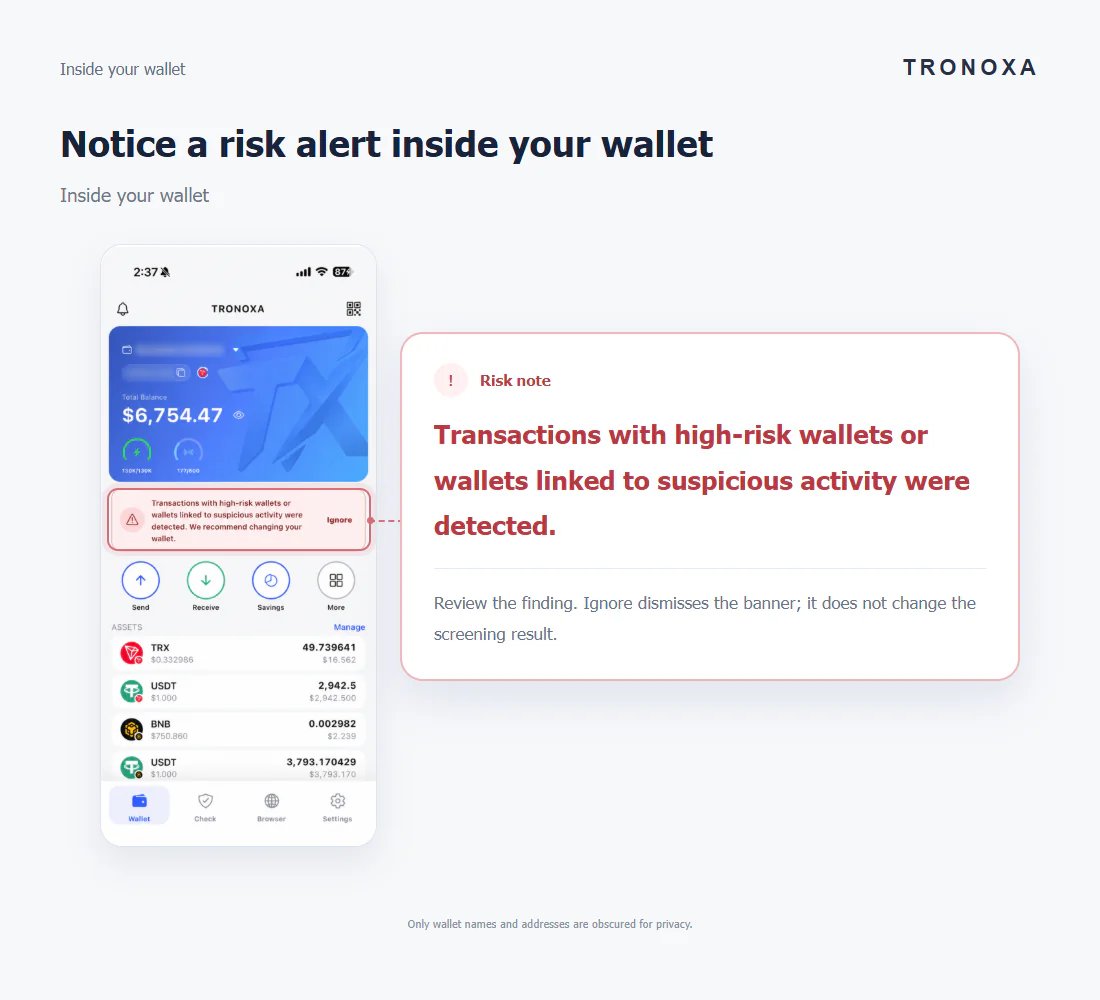
Notice a risk alert inside your wallet
Inside your wallet
!Risk note
Review the finding. Ignore dismisses the banner; it does not change the screening result.
Only wallet names and addresses are obscured for privacy.
Recognize alerts inside your wallet, understand recipient warnings, and explore the address check report — with examples from TRONOXA.
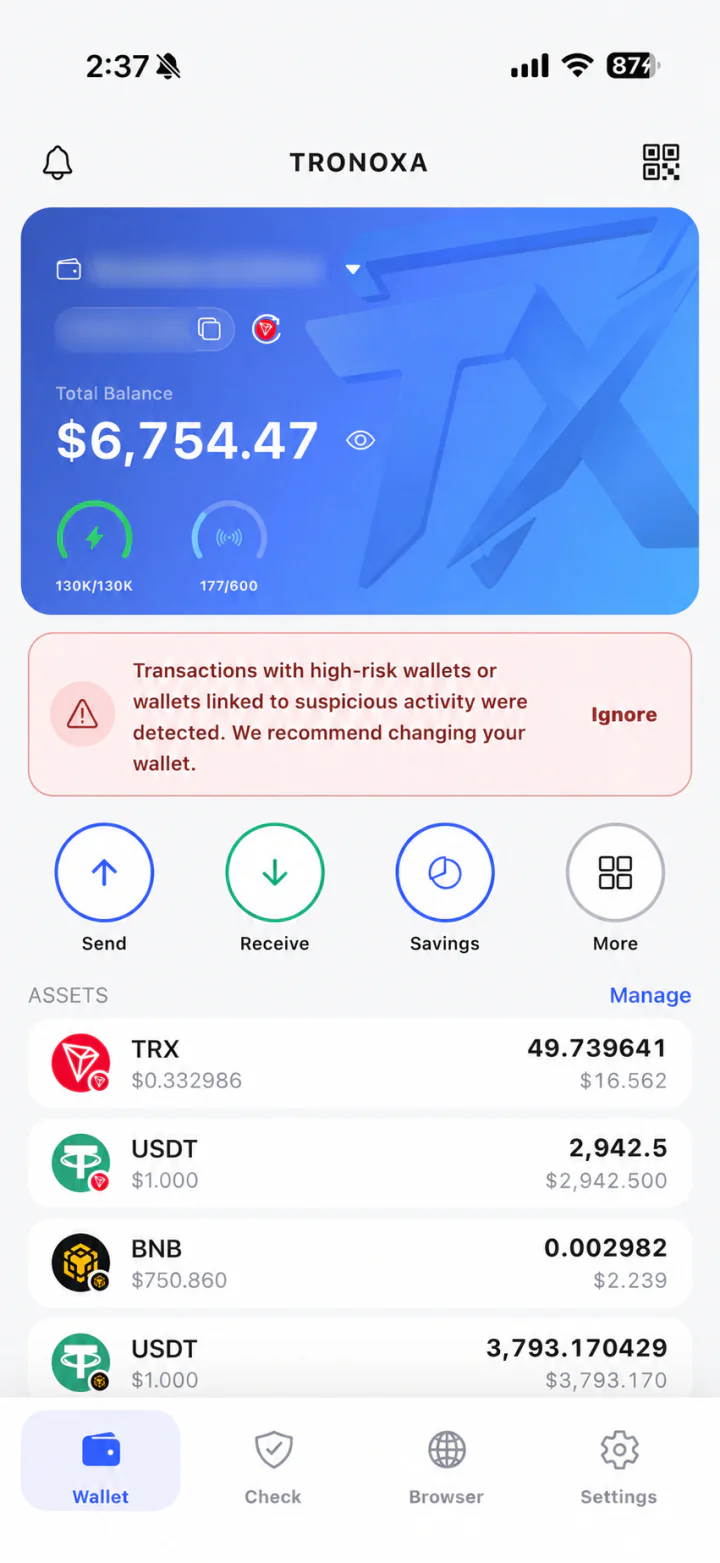
A risk alert can appear on the wallet home screen when monitoring detects a qualifying interaction. This is an in-app banner, with no push notification.
Inside your wallet
Review the finding. Ignore dismisses the banner; it does not change the screening result.
Only wallet names and addresses are obscured for privacy.
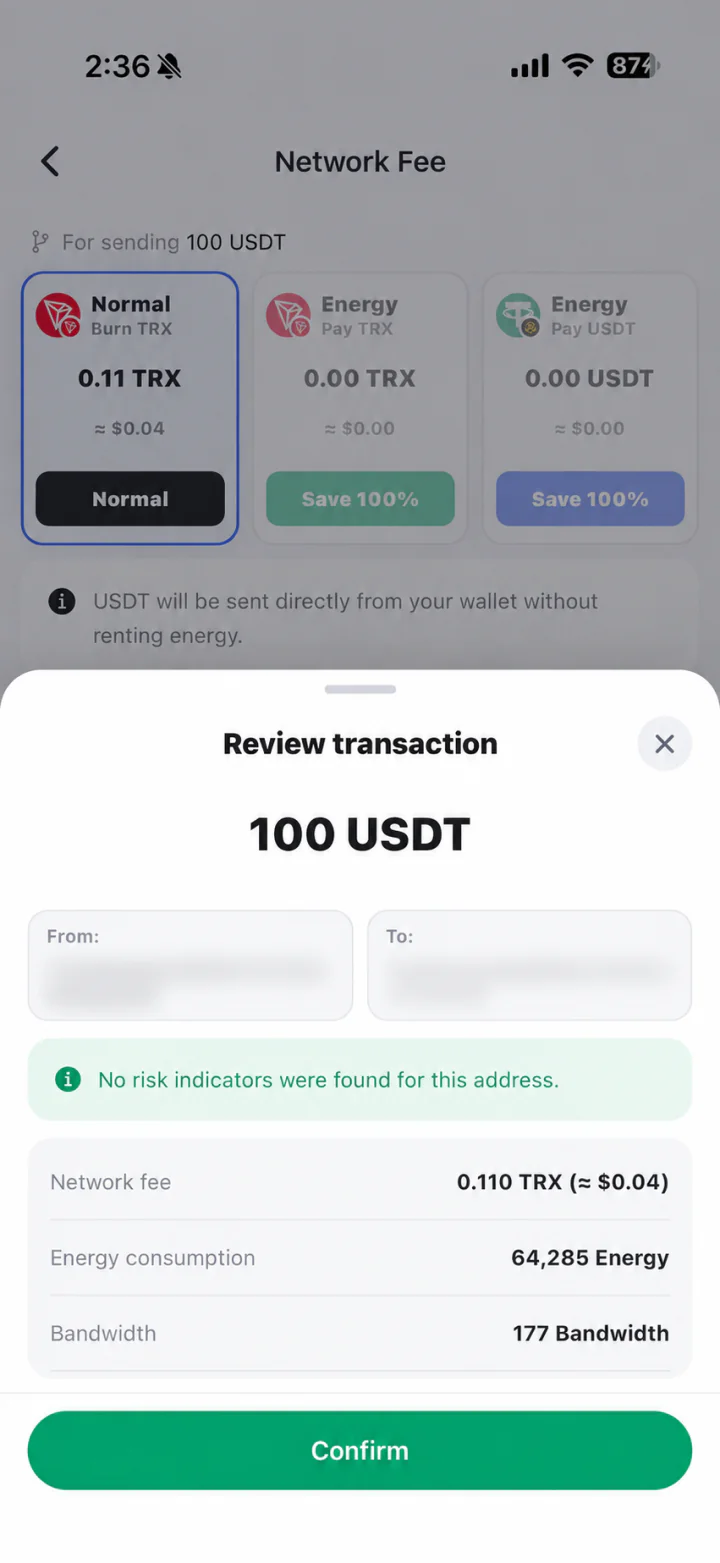
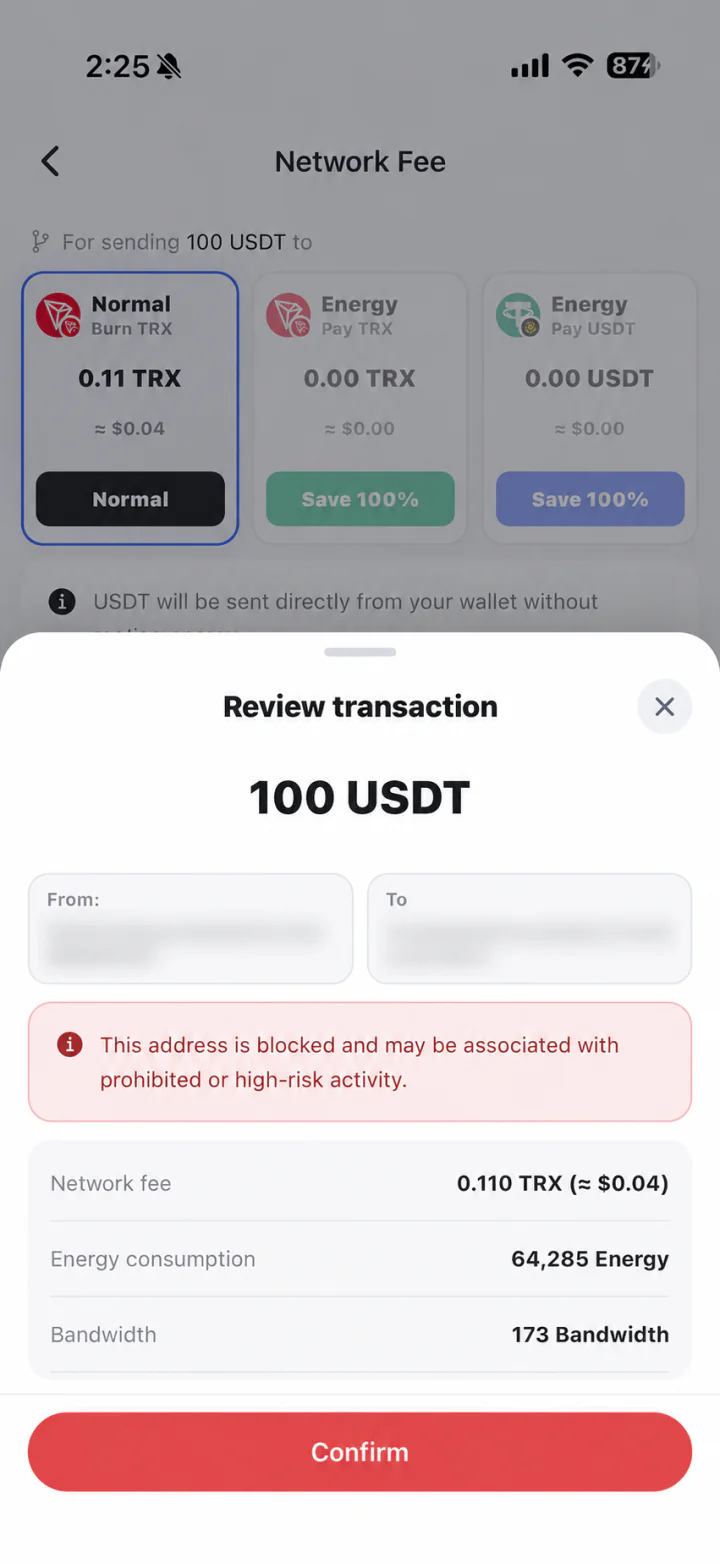
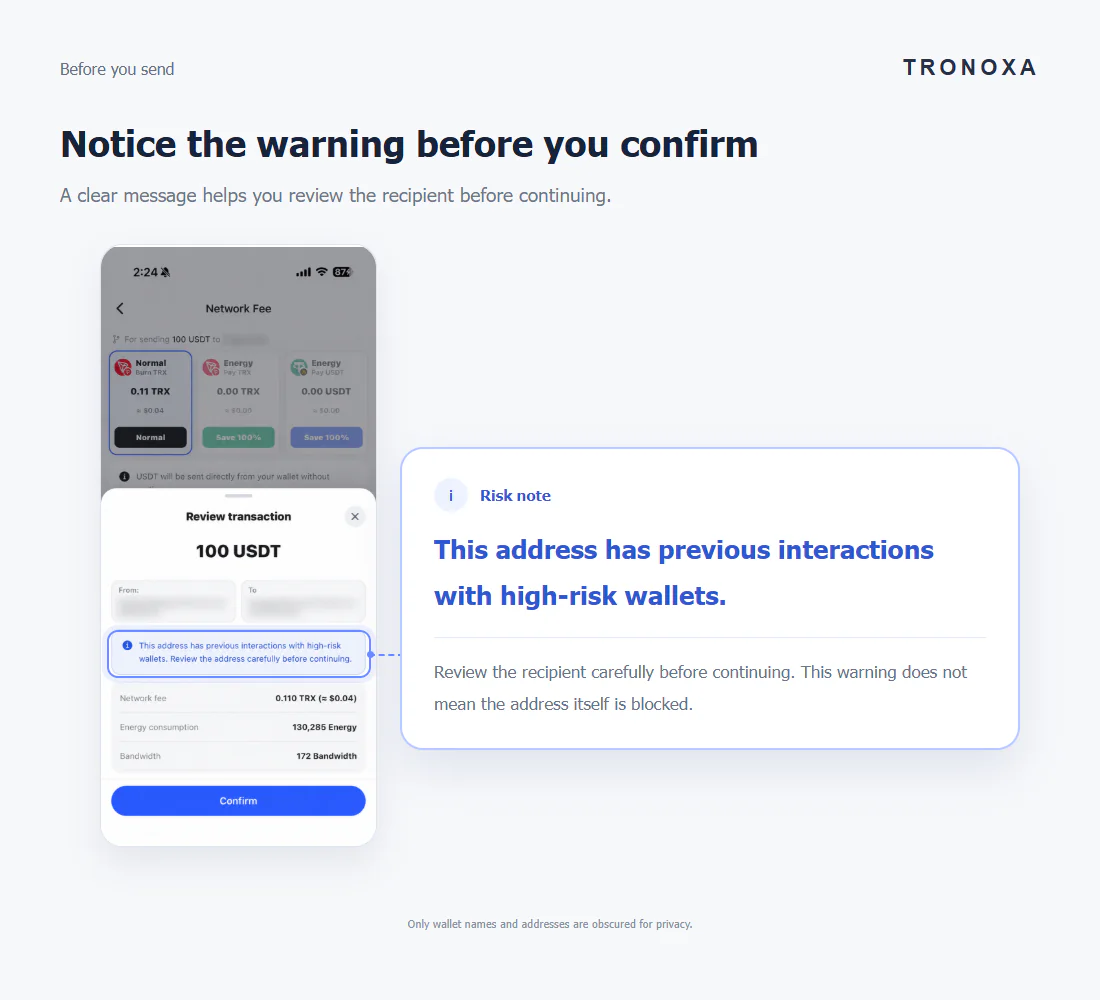
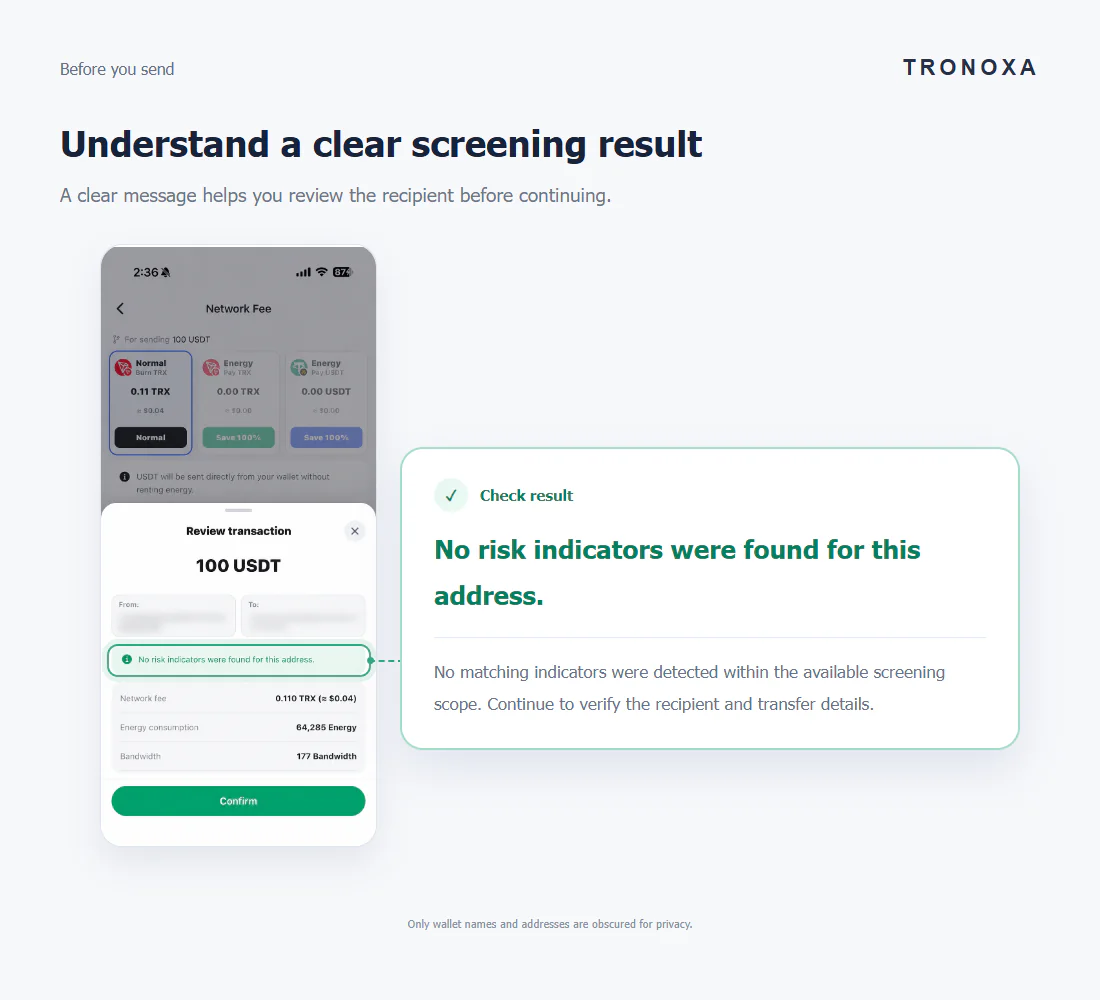
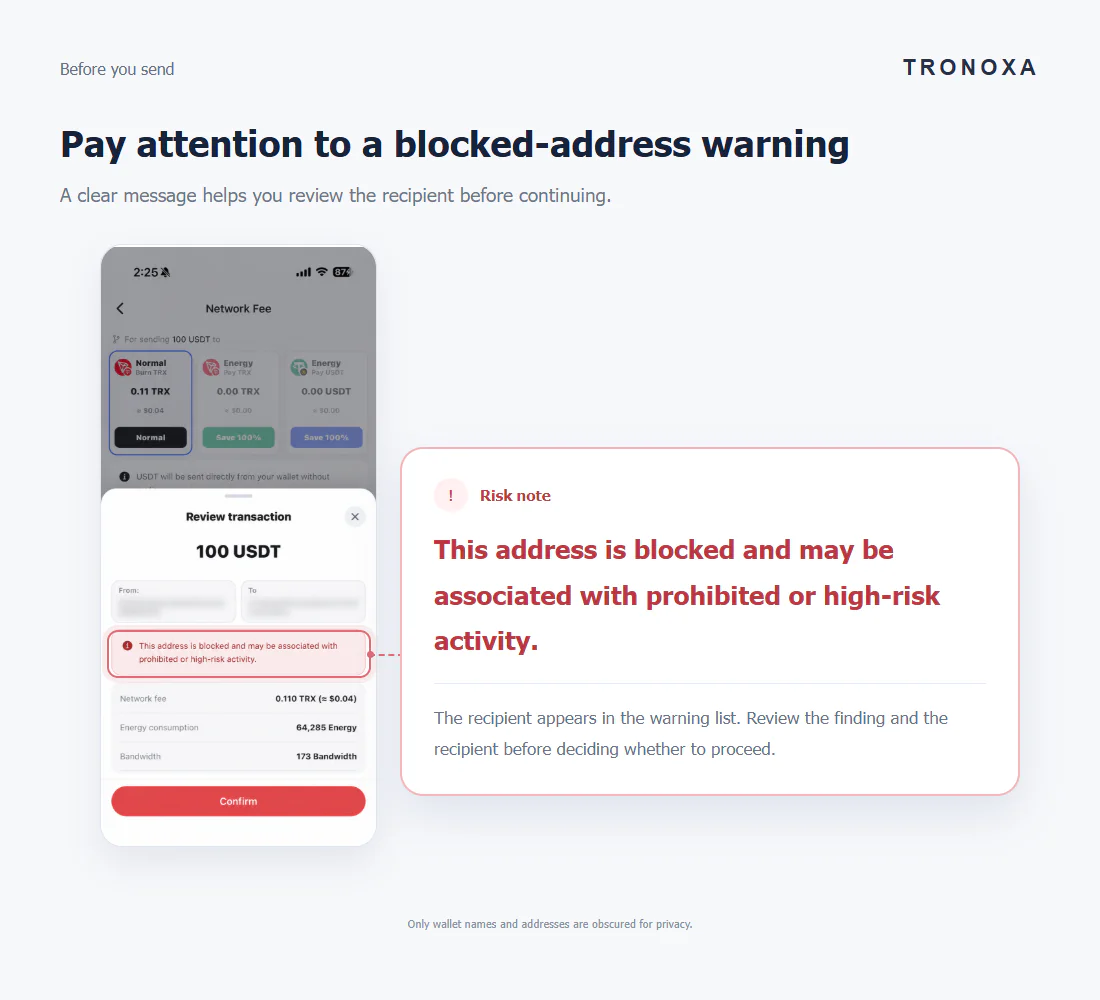
During transaction review, read the recipient’s screening result before confirming. Choose a state below to see what the message means.
A clear message helps you review the recipient before continuing.
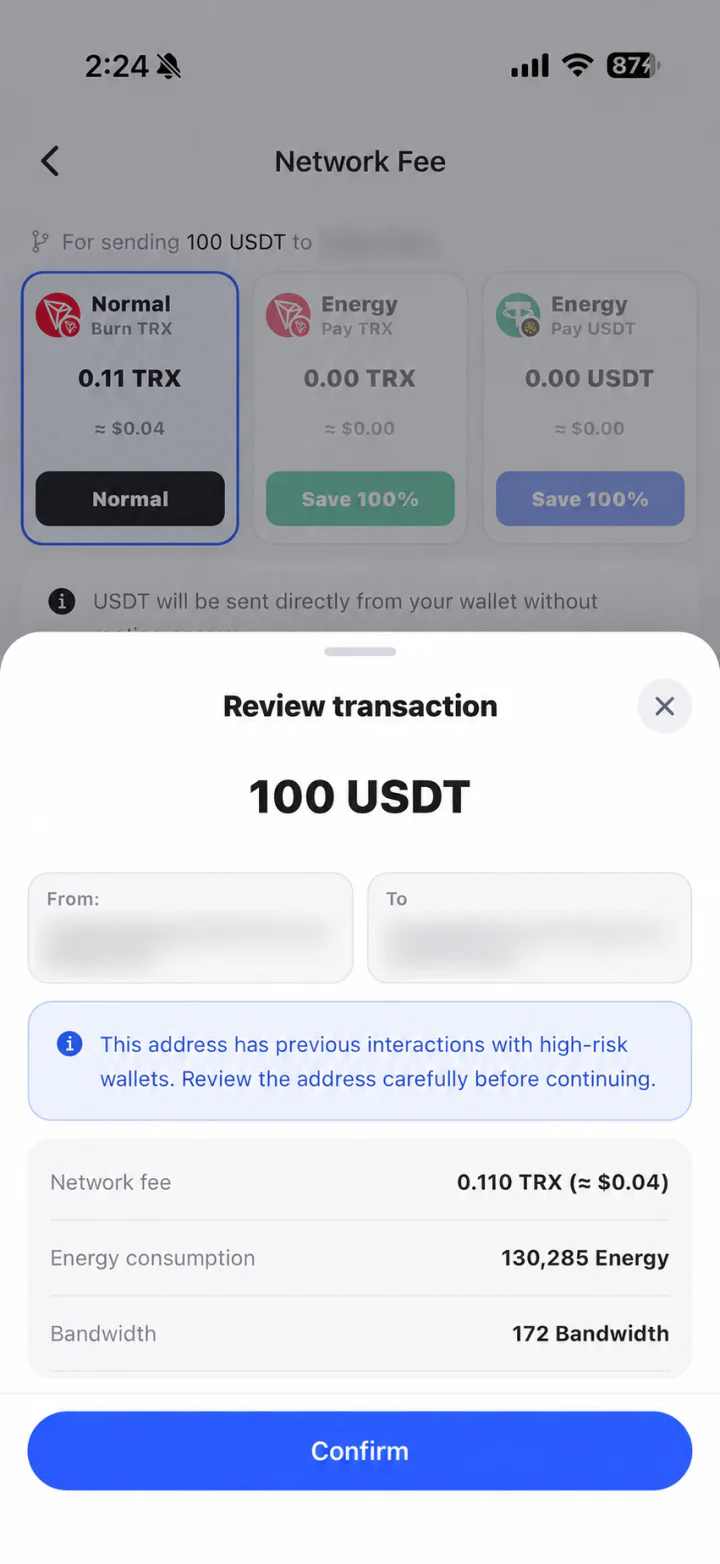
Review the recipient carefully before continuing. This warning does not mean the address itself is blocked.
Only wallet names and addresses are obscured for privacy.
A clear message helps you review the recipient before continuing.
No matching indicators were detected within the available screening scope. Continue to verify the recipient and transfer details.
Only wallet names and addresses are obscured for privacy.
A clear message helps you review the recipient before continuing.
The recipient appears in the warning list. Review the finding and the recipient before deciding whether to proceed.
Only wallet names and addresses are obscured for privacy.
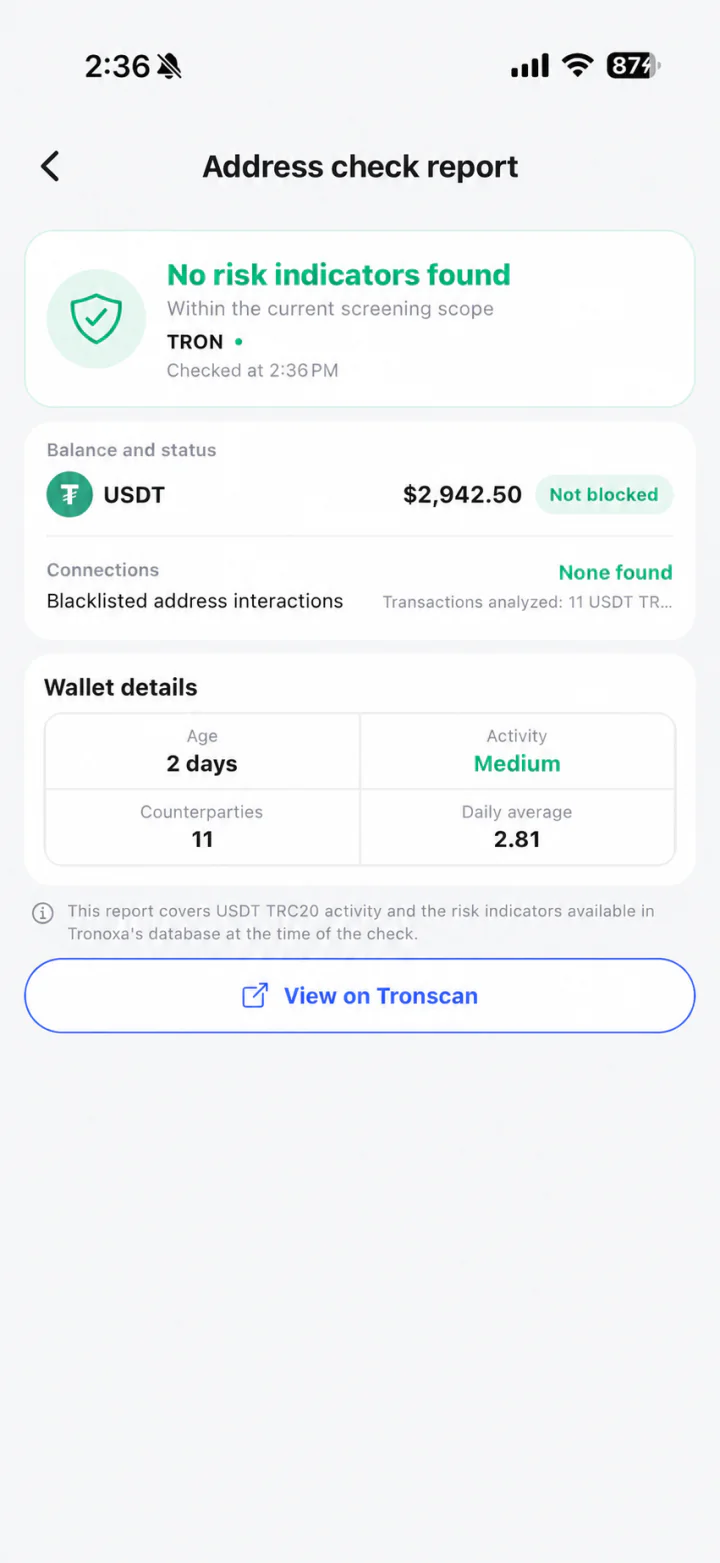
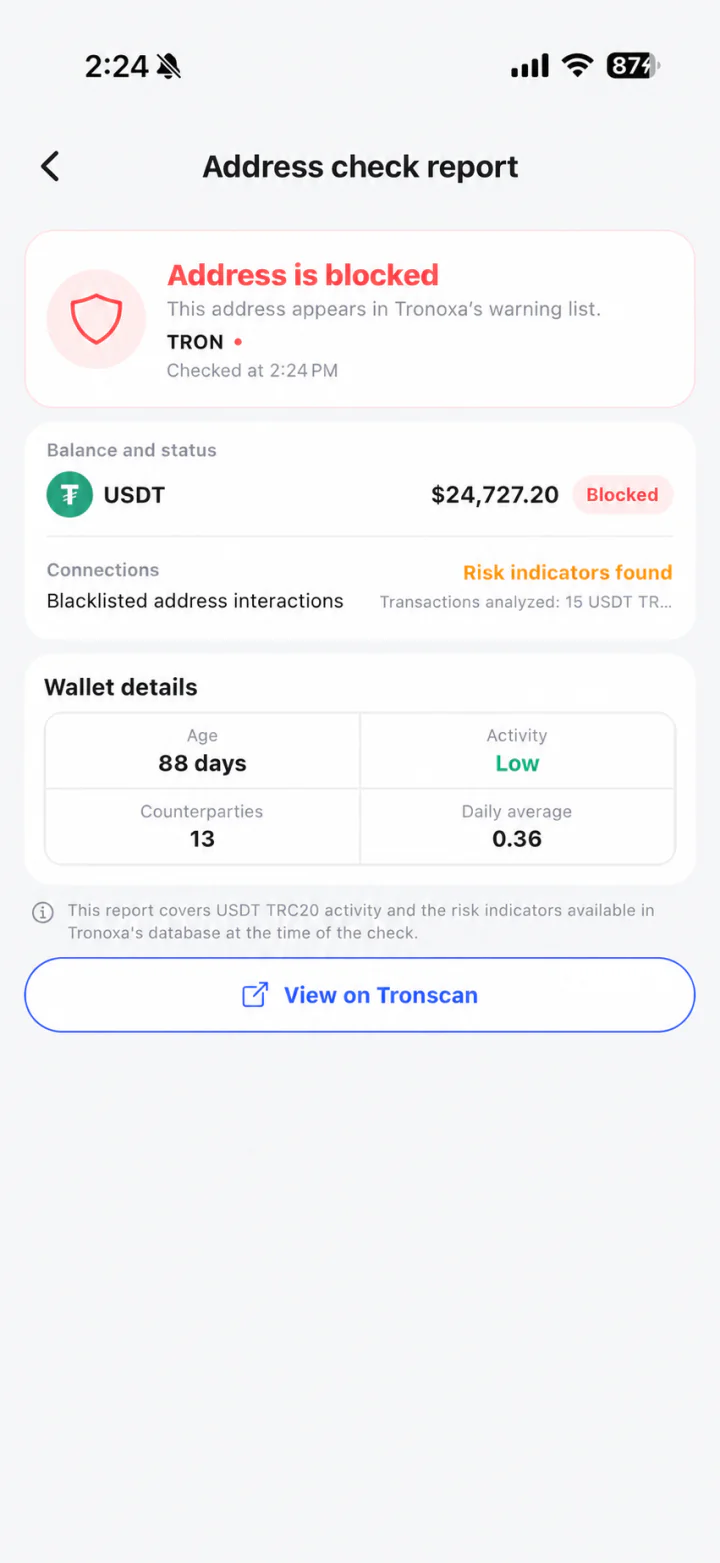
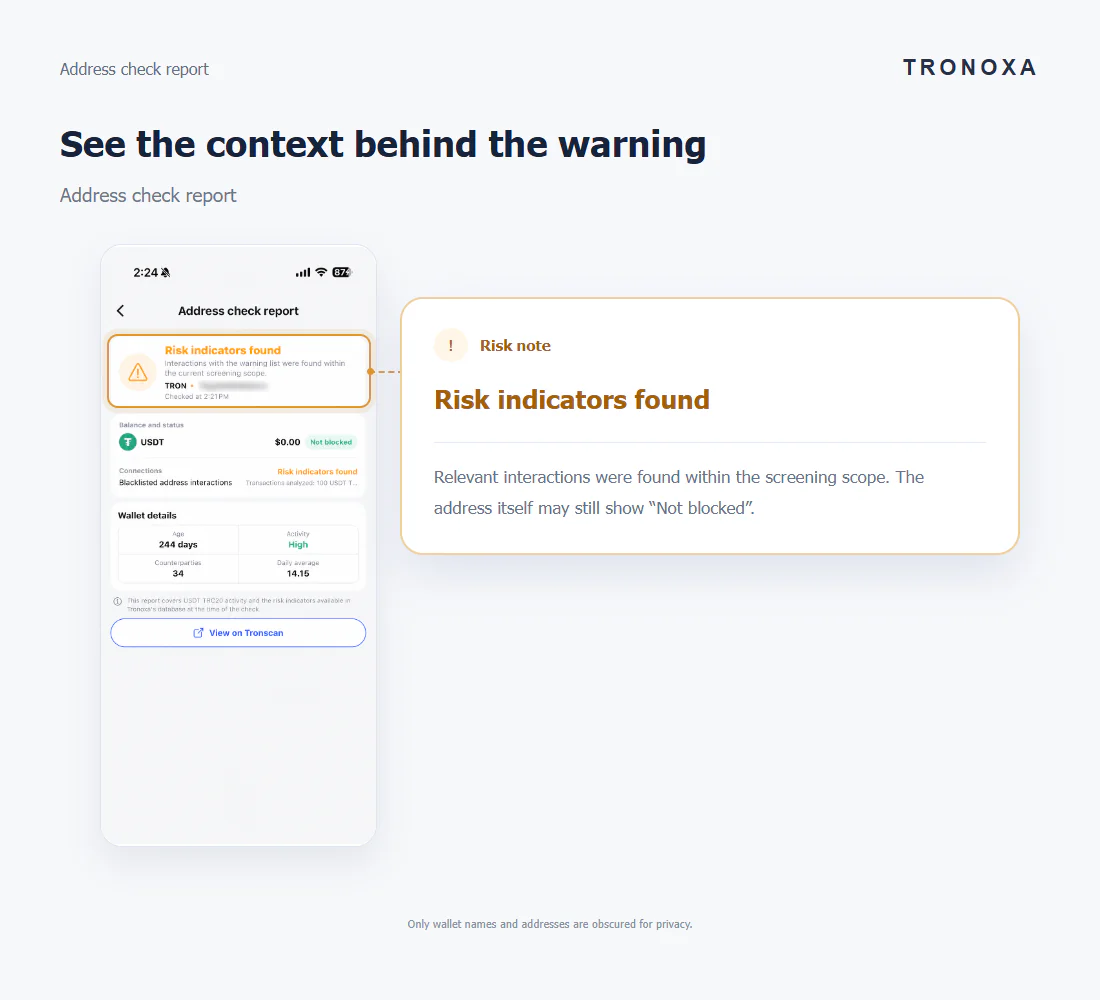
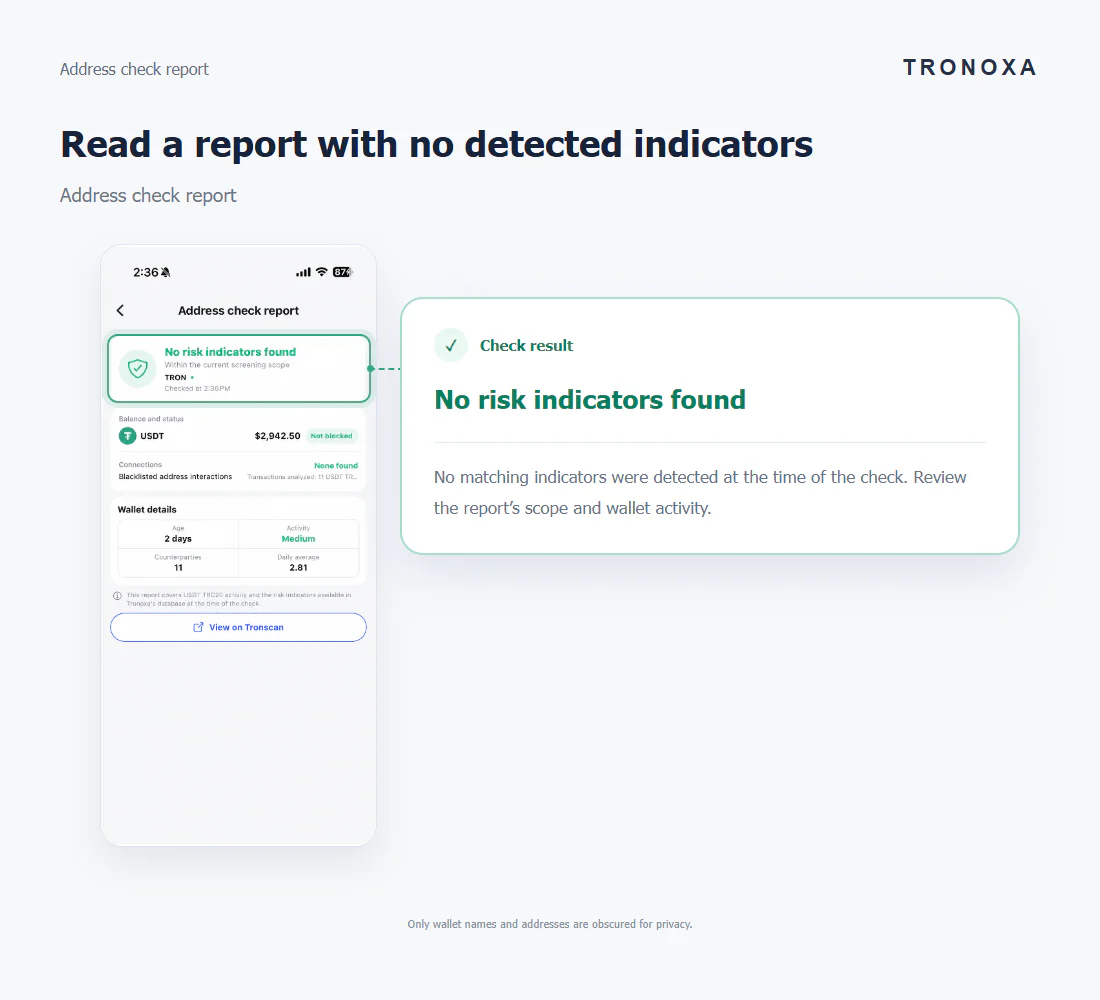
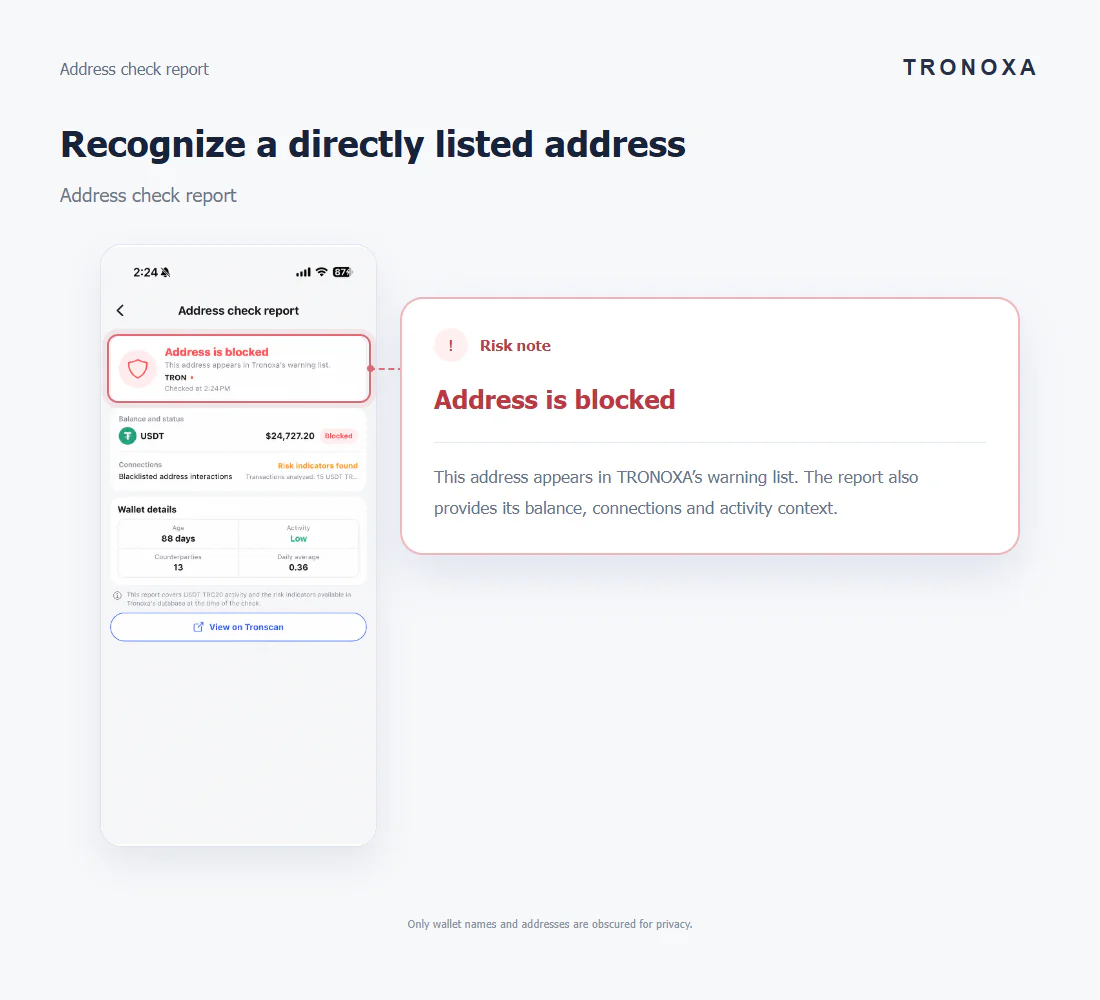
Open Check and enter a TRON address. The report shows the available warning status, detected connections, USDT balance and wallet activity, with a link to Tronscan.
Address check report
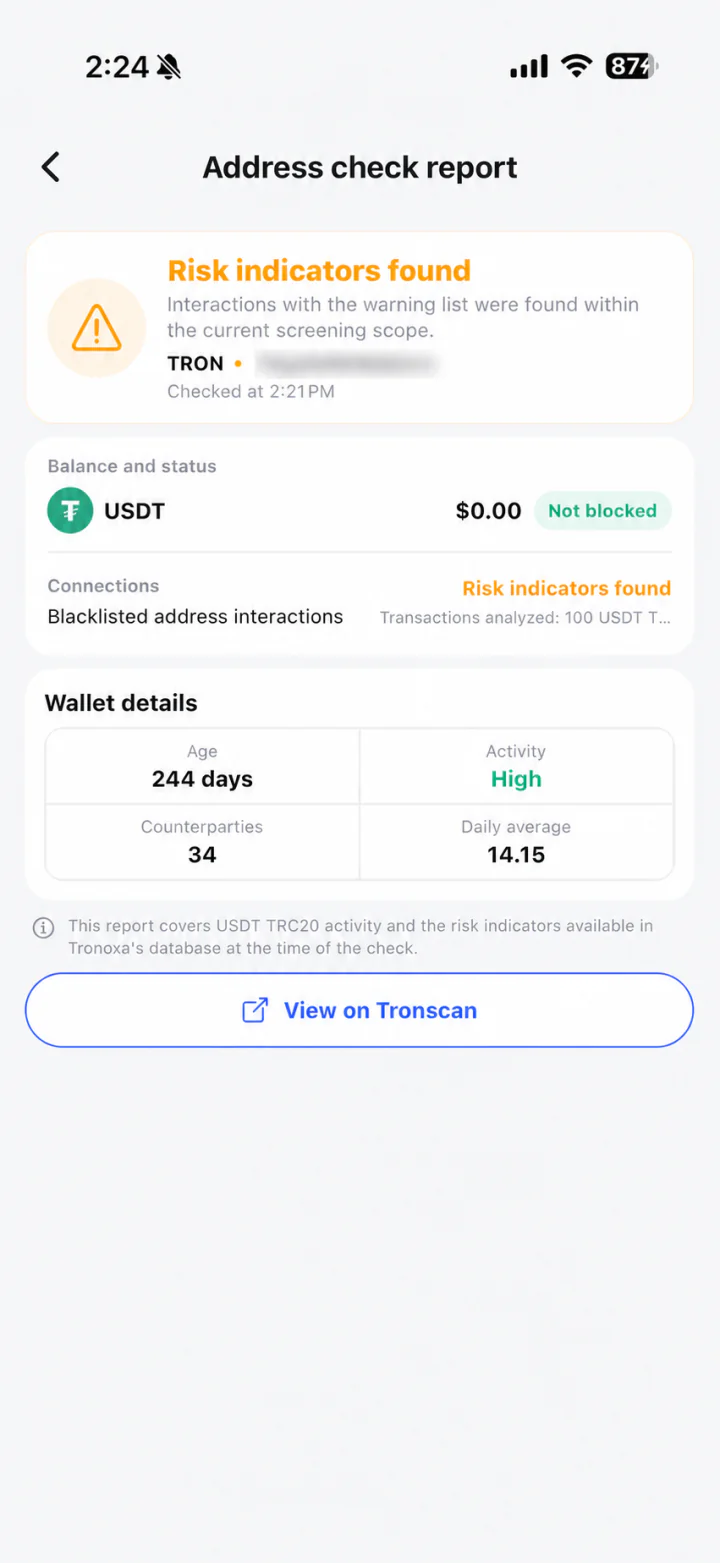
Relevant interactions were found within the screening scope. The address itself may still show “Not blocked”.
Only wallet names and addresses are obscured for privacy.
Address check report
No matching indicators were detected at the time of the check. Review the report’s scope and wallet activity.
Only wallet names and addresses are obscured for privacy.
Address check report
This address appears in TRONOXA’s warning list. The report also provides its balance, connections and activity context.
Only wallet names and addresses are obscured for privacy.
An address can have relevant risk connections without being directly listed. Blue in transaction review and amber in the report indicate connections; red identifies a listed address.
The report covers USDT TRC20 activity and indicators available in TRONOXA’s database at the time of the check. No indicators found is not a guarantee of safety.
Ignore dismisses the wallet banner without changing the finding. The same dismissed finding is not repeatedly shown; a new qualifying event may trigger another alert.
Screenshots illustrate the interface. Results depend on available data and may change. A warning alone does not establish wrongdoing or mean TRONOXA has frozen a wallet.