Inside TRONOXA
Everything important, clearly in view.
From balances to Energy costs and address checks, the app keeps essential wallet actions understandable and close at hand.
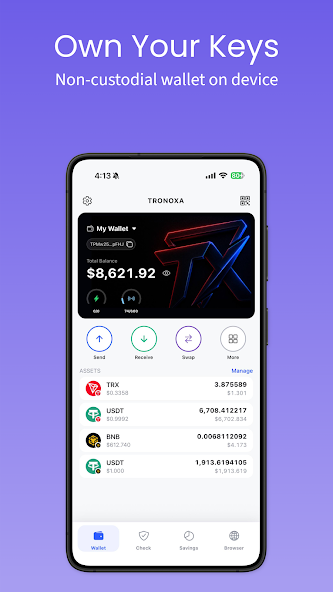
01 — WALLET
Own your keys. See your wallet clearly.
Create or import a wallet, follow supported assets, and reach everyday actions from one focused home screen. Recovery phrases and private keys remain on your device.
Self-custodyTRX & TRC-20Selected BSC assets
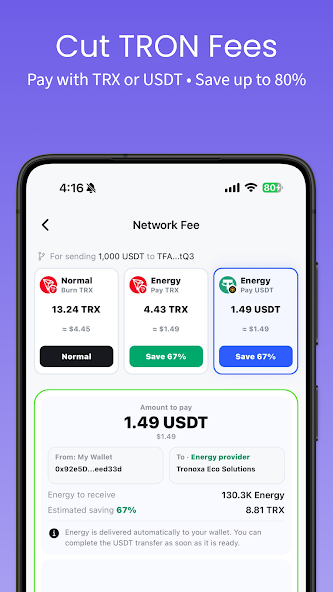
02 — SMART ENERGY
Compare the cost before you send.
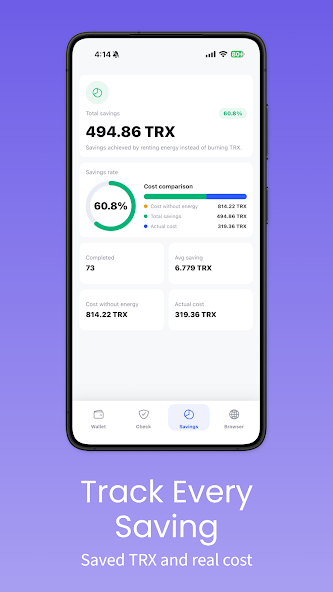
See available TRON network-fee options, choose how to cover Energy, and track completed orders and estimated savings inside the app.
Transparent estimatesTRX or USDT optionsSavings history
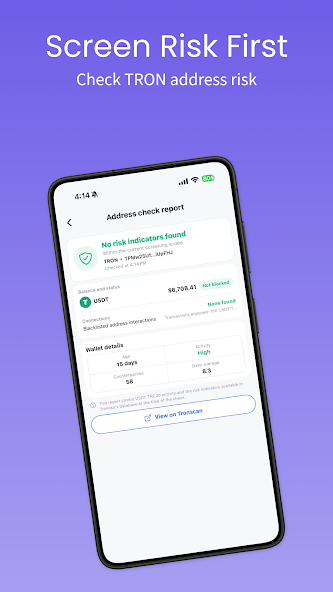
03 — SECURITY FIRST
Check the address. Keep signing local.
Review available TRON address-risk indicators before sending. Every signing decision remains on your device, and TRONOXA cannot move or recover your assets.
Local signingRisk indicatorsSecurity transparency